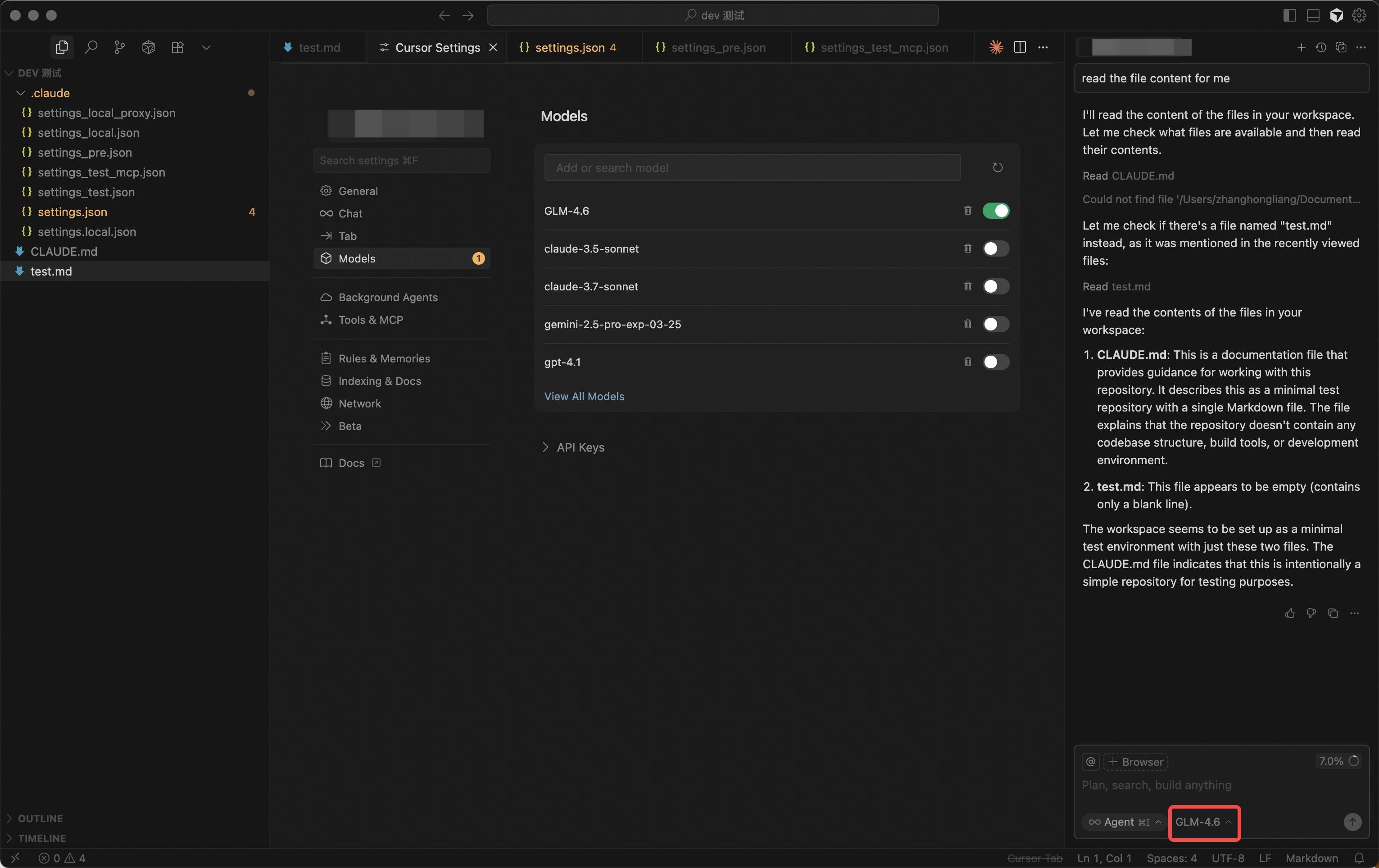
1. Install Cursor
Download and install Cursor from the official website.2. Create New Provider/Model
In Cursor, navigate to the “Models” section and click “Add Custom Model”.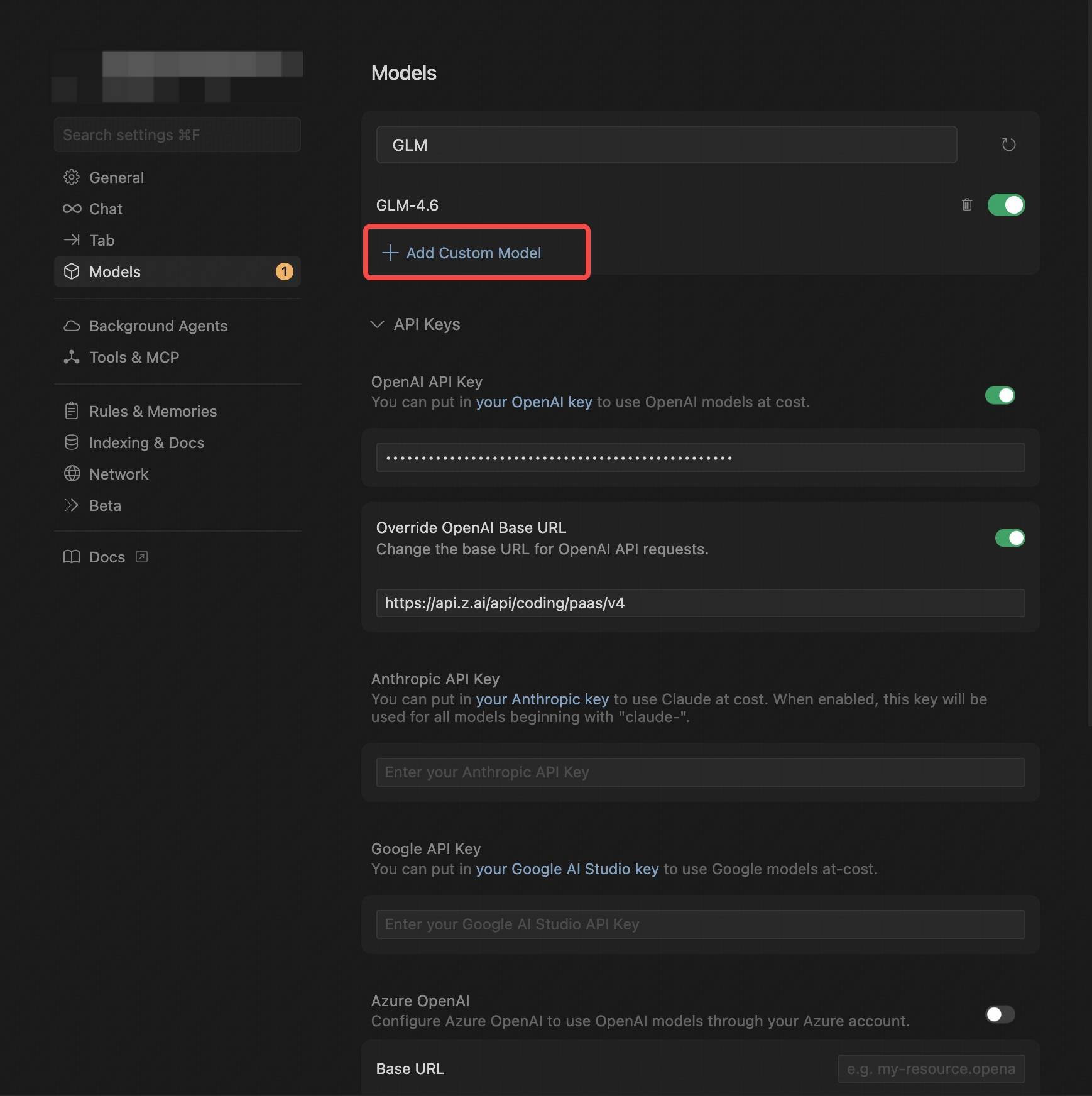
- Select OpenAI Protocol.
- Configure the OpenAI API Key (obtained from VibeCodeCheap).
- In Override OpenAI Base URL, replace the default URL with
/v1. - Enter the model you want to use, e.g.,
claude-opus-4-5-20251101,claude-sonnet-4-5, orgemini-3-flash. See Models for all available models.
In Cursor, the model name must be entered in uppercase, e.g.,
claude-opus-4-5-20251101.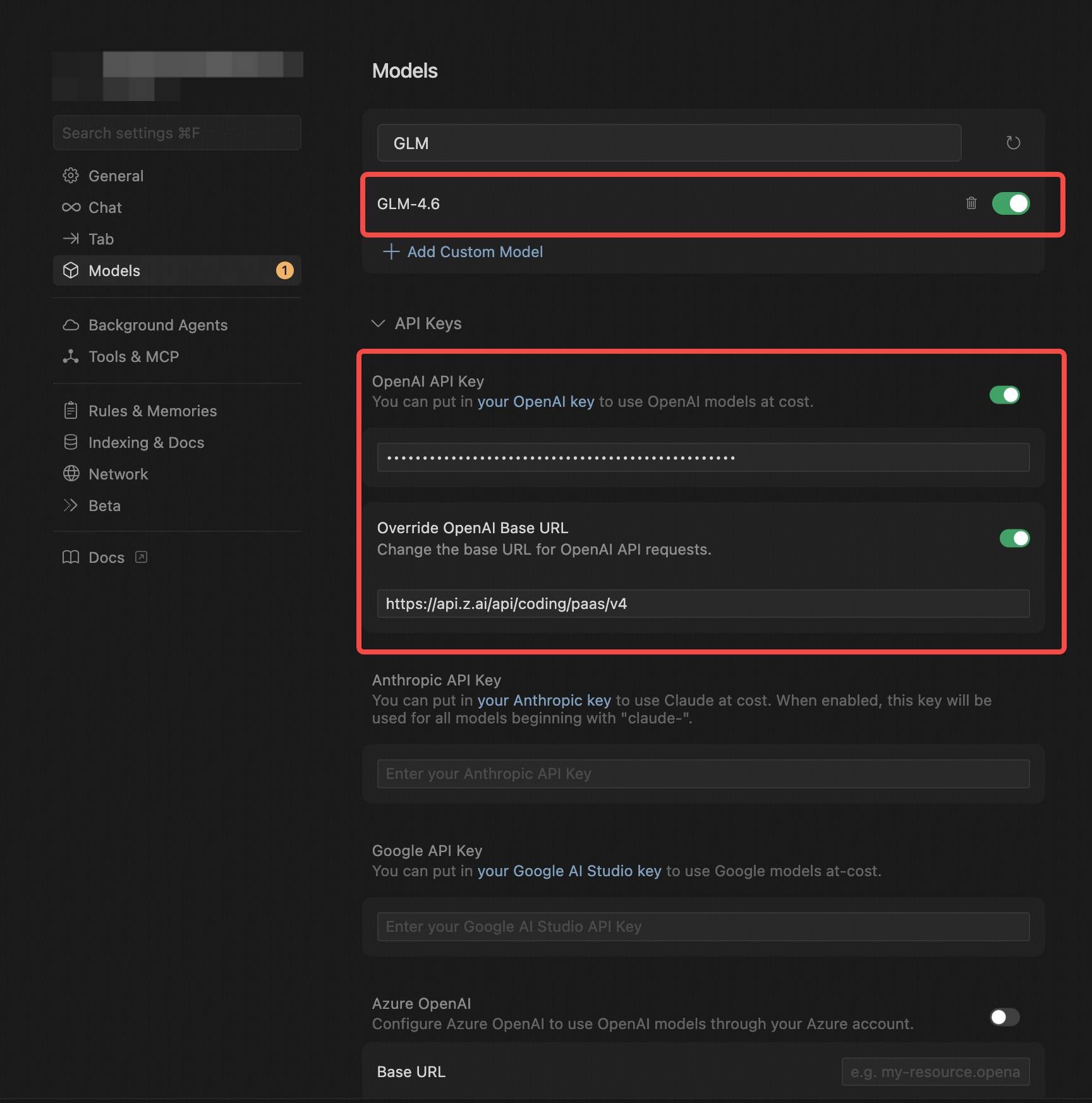
3. Save and Switch Models
After configuration, save the settings and select the newly created claude-opus-4-5-20251101 Provider on the homepage.4. Start Using
With this setup, you can start using the claude-opus-4-5-20251101 model for code generation, debugging, task analysis, and more.