

Bước 1: Cài đặt Goose Desktop
- Truy cập tài liệu chính thức của Goose: Goose Quickstart.
- Chọn installer cho hệ điều hành của bạn và hoàn thành setup cho Goose Desktop.
Bước 2: Tạo New Provider
- Mở ứng dụng Goose Desktop và navigate đến main interface.
- Tìm và click “Create New Provider” trong left-hand menu.
- Làm theo prompts để nhập thông tin yêu cầu và hoàn thành tạo Provider mới.

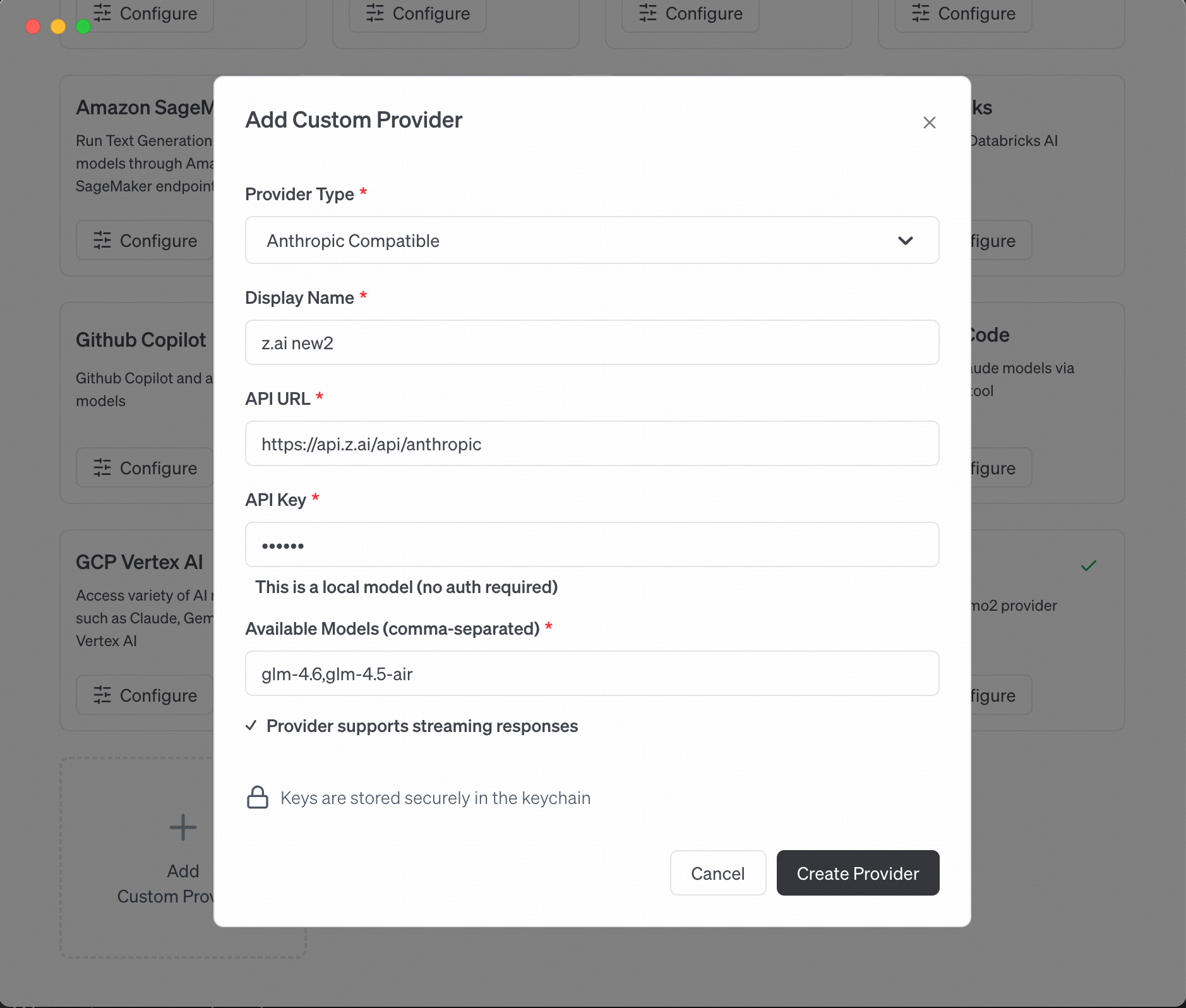
Bước 3: Chọn Anthropic Compatible và Configure
- Trong Provider Setup, chọn Anthropic Compatible.
-
Hoàn thành các cấu hình yêu cầu:
- Base URL:
- API Key: VibeCodeCheap API key của bạn
- Model: Chọn
claude-opus-4-5-20251101(standard, complex tasks) hoặcgemini-3-flash(lightweight, faster response) dựa trên requirements.
- Save settings để hoàn thành configuration.
Bước 4: Switching Models
- Sau khi cấu hình, quay lại Goose desktop main interface.
- Tìm và click “Switch Models” ở bottom của main interface.
- Chọn Provider mới tạo từ dropdown list.
- Verify Provider mới đã successfully switched to current model.

Bước 5: Bắt đầu sử dụng Goose
- Khi provider đã active, bạn có thể bắt đầu tương tác với Goose powered by claude-opus-4-5-20251101.
- Nhập request của bạn, và Goose sẽ tự động invoke claude-opus-4-5-20251101 model dựa trên configuration để generate response.
